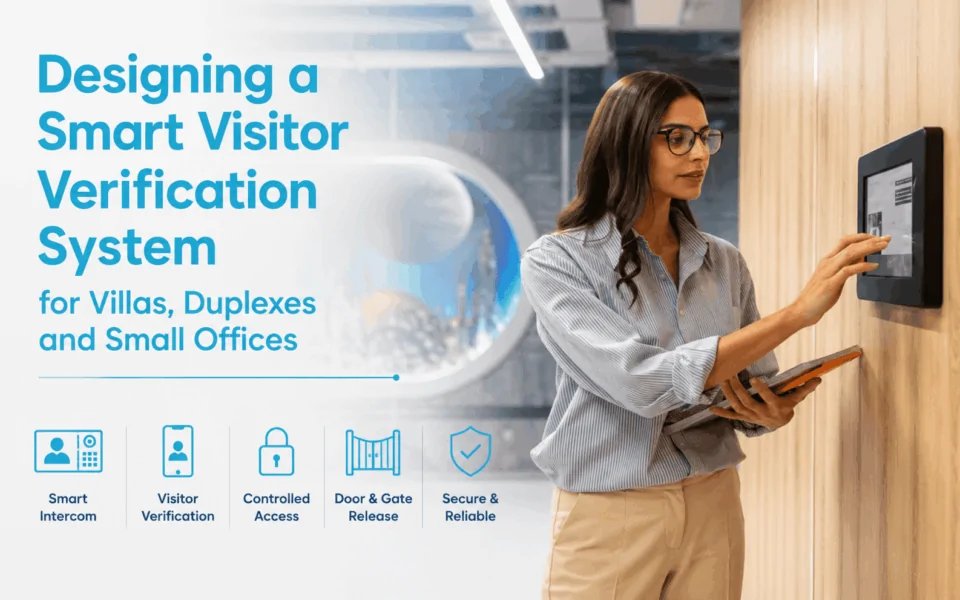
- Design around the full visitor journey, not individual devices. A strong visitor verification system connects the intercom, answering devices, locks, gates, network and access permissions into one coordinated workflow.
- Live video and two-way audio improve visitor identification. Residents or staff can see and speak with visitors before granting access, which is especially useful for deliveries, contractors and unfamiliar guests.
- Call routing should match the property layout. Villas may route calls to one household, duplexes need resident-specific routing, while small offices may direct visitors to reception or nominated staff.
- The correct entrance must be released every time. Where a property has a pedestrian gate, driveway gate and front door, each release command should be clearly mapped to the right lock, relay or automation input.
Managing visitor access is no longer just about answering the door. Modern buildings require secure, flexible, and intelligent visitor verification systems that integrate seamlessly with broader access control infrastructure. From villas and duplexes to small offices and mixed-use properties, property owners now expect more than basic intercom communication.
In this guide, we explore how visitor verification systems work, how they fit into modern access control strategies, and what installers and integrators should consider when designing secure and scalable solutions.
What Is a Visitor Verification System?
A visitor verification system manages and controls access to a property by verifying visitors’ identities and intent. Unlike traditional systems that merely alert occupants, modern solutions are designed to actively support decision-making through multiple layers of interaction and control.
At its core, a visitor verification system integrates several key components. Video intercoms serve as the primary interface, allowing occupants to visually identify visitors. Mobile access capabilities enable users to answer calls and manage entry remotely via smartphones or tablets. Access control devices – such as electric door smart locks, gate motors, or smart relays – finally grant or deny entry.
A major advancement in this space is video intercom visitor verification, which provides real-time visual confirmation. This is a significant step beyond simple notifications. Instead of just hearing a doorbell or receiving an alert, users can actually see who is requesting access and speak with them via video doorbells.
Verification itself is a layered process. It begins with identification – recognising the visitor through video. This is followed by communication, where occupants can ask questions or confirm intent. Next comes approval or denial, in which access is granted or denied. Finally, every interaction is recorded for future reference.

Key Challenges in Villas, Duplexes, and Small Offices
Designing an effective visitor verification system for villas, duplexes and small offices comes with several practical challenges. These properties often have fewer staff, multiple entry points and existing infrastructure that was never designed for modern video intercom or access control systems.
From DHS’s project experience, the biggest issues are often not caused by the intercom itself. They usually appear when call routing, door or gate release, existing cabling and user behaviour are not considered as one complete workflow. A system may work technically, but still be inconvenient or confusing if the wrong person receives the call or the user cannot clearly identify which entrance they are releasing.
- Limited staffing or no reception desk. Unlike large commercial buildings, villas, duplexes, and small offices typically do not have dedicated personnel to manage entry points. This means the responsibility for verifying visitors falls entirely on residents or staff.
- No dedicated personnel to screen visitors. Without a receptionist or security guard, there’s no one to assess visitors at the door. This increases the risk of unauthorised access.
- Increased reliance on automated or remote systems. Because manual oversight is limited, these properties depend heavily on technology to handle visitor interactions. Systems must be intuitive, responsive, and dependable to avoid missed calls or delayed responses.
- Multiple entry points. Many properties have multiple access points, including front gates, main doors, side entrances, and parking areas. Ensuring consistent verification across all these points can be complex without a unified system.
- Difficulty maintaining consistent verification across all points. Different entry points may use different devices or configurations, leading to inconsistent user experiences and potential security gaps.
- Privacy concerns. Residents and staff may feel uncomfortable approaching unknown visitors in person. A system that allows discreet, remote verification helps maintain personal safety and privacy.
- Legacy infrastructure constraints. Older buildings often have limited or outdated wiring, making upgrades challenging. Traditional systems may require extensive rewiring, which can be costly and disruptive.
- Rewiring is costly and disruptive. Installing new cabling can involve structural work, downtime, and additional expenses in occupied properties, as well as the Australian/New Zealand wiring rules.(1 Australian/New Zealand wiring rules.Date of access on 20/08/2026↓).
- Balancing convenience with security. Frequent visitors, such as delivery drivers or clients, need quick and easy access. However, overly strict verification processes can create friction and reduce usability. The goal is to achieve a balance where security does not compromise convenience.
Learn more: Smart Video Entry Systems for Reception & Visitor Management
Essential Components of a Visitor Verification System
A reliable visitor verification system depends on several connected components working together. Rather than treating the intercom, access control and mobile app as separate devices, the system should be designed around the full visitor journey—from the first call at the entrance through to identification and authorised entry.
Video Intercom or Door Station
A smart video intercom or door station provides the main communication point at the front door, pedestrian gate or office entrance. It allows visitors to initiate a call while providing live video and two-way audio so the occupant or receptionist can verify who is requesting access.
For villas and duplexes, this may be a single outdoor station connected to one or more indoor monitors or smartphones. In a small office, calls may instead be routed to reception, nominated staff members or several devices.
Electronic Locks and Gate Release Controls
Verification is only useful if the authorised person can release the correct entrance after confirming the visitor.
Depending on the property, the system may control:
- Electric strikes or magnetic locks on entrance doors.
- Pedestrian gate locks.
- Automatic driveway gates through a dedicated relay or automation input.
- Other controlled entry points where supported by the access system.
The release method should be matched carefully to the existing lock, gate operator and required security workflow.
Local Controller or Automation Hub
A local controller can coordinate access, automation and system logic within the property. Depending on the selected platform, it may also allow certain functions to continue operating locally even when an external internet service becomes unavailable.
For example, local rules may coordinate an intercom call with door release, lighting, gate automation or other connected functions without relying entirely on cloud processing.
Mobile Devices and Indoor Touchscreens
Smartphones and indoor touch panels provide convenient answering points for residents, owners or office staff. When a visitor calls, authorised users can receive video and audio, confirm the visitor’s identity and release the appropriate entrance.
The most suitable answering arrangement depends on how the property is occupied. A villa may rely heavily on mobile answering, while a small office may combine a reception monitor with mobile call forwarding.
Visitor Identification and Access Features
Once the basic hardware has been selected, the next consideration is how visitors and authorised users will actually be identified. Different verification methods suit different people and situations, so a well-designed system often combines several options rather than relying on one credential type.
Live Two-Way Video and Audio
Live video and two-way audio allow occupants to see and speak with a visitor before granting access. Depending on the system, calls can be answered from an indoor monitor, smartphone application, reception station or multiple authorised devices.
This is particularly useful where the person answering is away from the entrance or even away from the property.
Motion Detection and Entry-Zone Alerts
Some video intercoms and cameras can detect movement around nominated entrance areas. This may trigger a notification or video recording before the visitor presses the call button.
Proper configuration is important. Detection zones should focus on meaningful approach areas so passing pedestrians, vehicles, vegetation or neighbouring activity do not create excessive alerts.
Temporary PIN Access
Temporary PIN codes can provide controlled access without issuing a permanent credential. Depending on the platform, codes may be configured for a particular time window, limited number of uses or specific entrance.
This can be practical for:
- Contractors.
- Regular service providers.
- Approved guests.
- Short-term staff.
- Deliveries where unattended access is appropriate.
Temporary access should still be designed around the property’s security requirements rather than automatically allowing every visitor through the main entrance.
RFID Cards and Key Fobs
RFID cards or key fobs provide fast credential-based access for regular authorised users such as residents, family members or office employees.
Unlike visitor calls, these credentials allow known users to enter without contacting someone inside. Permissions can often be added, removed or restricted according to the access control platform being used.
How a Smart Visitor Verification Workflow Should Work
A well-designed visitor verification system should follow a clear sequence from the moment someone arrives to the moment the entrance returns to a secure state. The objective is not simply to add an intercom or smart lock, but to make sure calls, identification and door or gate release happen in the correct order.
For villas, duplexes and small offices, the workflow should also be simple enough for everyday use while still supporting multiple entrances, different occupants and remote answering where required.

Step 1 – Visitor Arrives at the Entrance
The workflow begins when a visitor reaches the main entry point, such as a pedestrian gate, front door or office entrance.
The visitor may press an intercom call button, select a resident or business from a directory, or use another configured verification method. The entry station then begins the communication process without giving the visitor immediate access.
Step 2 – The System Calls the Right Occupant or Staff Member
The call should be routed to the person who is actually responsible for approving access.
Depending on the property, this may include:
- A homeowner’s indoor monitor or smartphone.
- One specific residence within a duplex.
- A reception desk or office touchscreen.
- Several nominated staff members.
- A mobile device when nobody is physically onsite.
Call routing is particularly important in shared or multi-user properties. A visitor calling one duplex residence, for example, should not unnecessarily alert the neighbouring dwelling.
Step 3 – User Sees and Speaks With the Visitor
The occupant or staff member can then communicate with the visitor through two-way audio and, where supported, live video.
Video adds another layer of verification because the user can visually confirm who is standing at the entrance rather than relying only on a voice. This can be especially useful for deliveries, contractors, unfamiliar visitors or office guests.
The aim is to give the person inside enough information to make an informed decision before any entrance is released.
Step 4 – User Selects the Correct Door or Gate
After confirming the visitor, the user needs to release the correct entrance.
This becomes important where one property contains several controlled access points, such as:
- A pedestrian gate.
- A driveway gate.
- The main front door.
- A separate office entrance.
Each release command should be clearly labelled and mapped to the correct relay, lock or gate automation input. The system should minimise the risk of someone accidentally opening the driveway gate when they intended to release the pedestrian entrance.
Step 5 – The Entrance Releases for the Intended Visitor
Once access is approved, the verification system sends the appropriate command to the connected locking or automation equipment.
For a door, this might temporarily release an electric strike or magnetic lock. For a pedestrian or driveway gate, the intercom or access controller may send a relay signal to the gate automation system.
The visitor can then enter through the specific access point that has been authorised, while other entrances remain secure.
Step 6 – Access Returns to Its Secure State
Visitor verification should not end when the door or gate opens. The system also needs a predictable method for returning the entrance to its normal secure condition.
Depending on the entrance, this may involve:
- An electric door lock re-securing after the door closes.
- An automatic door completing its opening and closing cycle.
- A pedestrian gate closing and locking again.
- A driveway gate completing its programmed closing sequence.
Door contacts, gate safety devices and automation controls should be designed to work together so that security does not interfere with safe operation.
Step 7 – Event or Call History Is Available Where Supported
Many modern visitor verification platforms can retain information about system activity, although the available records vary by product and configuration.
Depending on the system, authorised users may be able to review:
- Incoming intercom calls.
- Missed calls.
- Door or gate release events.
- Credential activity.
- Visitor snapshots or video recordings.
- Access timestamps.
These records can be particularly useful in small offices or shared properties where occupants need greater visibility over visitor activity.
The strongest visitor verification design therefore considers the entire workflow, rather than selecting individual devices first. The intercom, answering devices, network, locks, gate automation and access permissions should all be configured around who is arriving, who needs to verify them and exactly which entrance should be released.
Designing Reliable Power, Network and Recording Infrastructure
The performance of a visitor verification system depends heavily on the infrastructure behind it. Good video quality and convenient mobile features will not compensate for unstable power, unreliable networking or poorly planned cabling. DHS can assist with reviewing existing infrastructure, selecting suitable network and backup power equipment, and coordinating intercom, access control and recording requirements as one complete system.
PoE and Structured Network Cabling
Where practical, Power over Ethernet (PoE) is often a strong option for IP-based intercoms and network devices because one cable can carry both power and data.
Compared with relying entirely on Wi-Fi at an outdoor entrance, a properly installed wired network can provide:
- More consistent communication.
- Stable video transmission.
- Simplified power delivery.
- Easier central network management.
- Reduced dependence on wireless signal strength at gates or external walls.
The final cabling approach still depends on distance, existing infrastructure and whether the project is a new installation or retrofit.
Backup Power for Critical Entry Equipment
A UPS or other suitable backup power arrangement can help maintain selected system functions during short power interruptions.
Depending on the design, backup power may be provided to critical equipment such as:
- Network switches.
- Routers.
- Intercom controllers.
- Access control equipment.
- Selected locking or gate-control devices.
Backup requirements should be assessed as a complete system because keeping the intercom powered is of limited value if the network or controlled entrance cannot operate.
Local and Cloud-Based Video Storage
Where visitor events are recorded, footage may be stored locally, in the cloud or through a combination of both methods.
Local recording can provide greater control over where footage is stored, while cloud services may offer convenient remote access and off-site retention. The available options depend on the intercom, camera and management platform selected.
Storage capacity, retention periods, cybersecurity, privacy requirements and who should be authorised to review footage should all be considered during system design.

Read more: Intercom, Gate and Door Release Workflows for Apartment Entry
Typical Visitor Verification Workflows by Property Type
Different property types require tailored workflows to meet their specific needs. Understanding these variations is key to designing an effective visitor verification system.
Villas
Villas typically feature a single-family environment with a gated perimeter. The workflow often begins at the front gate, where a visitor interacts with an intercom. The occupant receives a call on their mobile device, views the live video feed, and communicates with the visitor if needed. Once verified, they can remotely open the gate.
This approach prioritises both convenience and perimeter security. Homeowners can manage access without leaving their living space, while still maintaining full control over who enters the property.
Duplexes
Duplexes present a slightly more complex scenario, as they involve shared infrastructure but separate occupants. A visitor usually selects the intended resident from the intercom directory. The call is then routed to the appropriate user, who completes the verification process. In many cases, entrance automation is integrated into this workflow, allowing residents to remotely control gates.
Each occupant can independently verify visitors and grant access, ensuring privacy and control. This setup requires flexible system configuration, including user-specific permissions and customised call routing.
Small Offices
In small office environments, visitor verification must balance professionalism with security. Workflows often include both scheduled visitors – such as clients with appointments – and unscheduled arrivals like deliveries.
Staff can receive intercom calls on their devices, verify visitors through video, and grant access accordingly. Integration with business hours and internal access control systems ensures that entry is only permitted when appropriate.
This type of small office entry verification enhances the overall visitor experience while maintaining a secure and organised workplace.

Read more: Planning Resident and Visitor Flows at Gated Communities
Solution Spotlight: Akuvox 2-Wire IP Intercom Kit for Visitor Verification
For properties seeking a reliable and scalable visitor verification system, the Akuvox 2-Wire IP Intercom Kit offers a compelling solution. Designed specifically for retrofit applications, it enables advanced intercom functionality without extensive rewiring.
By utilising existing 2-wire cabling, this system delivers full IP capabilities, including high-quality video, mobile access, and seamless integration with other smart systems. Installation is quick and minimally disruptive, making it ideal for occupied villas, duplexes, and small offices.
The kit supports every stage of the verification workflow. Users can visually identify visitors through live video feeds, communicate via two-way audio, and remotely grant access using a mobile app or indoor monitor. It also integrates easily with door locks and gate automation systems, ensuring smooth access execution.
This makes it particularly well-suited for older properties looking to upgrade their security infrastructure without major construction work. Whether it’s a residential villa or a small office environment, the Akuvox solution provides a modern, efficient, and user-friendly approach to visitor verification.

How to Specify a Reliable Visitor Verification System
A reliable visitor verification system should be designed around how visitors actually enter the property, rather than choosing hardware first and adapting the workflow later.
- Decide the visitor workflow first: Define who receives the call, how the visitor is verified, and who can release the entrance.
- Identify every controlled entrance: Confirm whether the system needs to release a pedestrian gate, driveway gate, front door, or multiple access points.
- Decide whether mobile answering is needed: For villas, duplexes and small offices, smartphone answering can help occupants or staff manage visitors when they are away from an indoor monitor.
- Check existing cabling before selecting hardware: Assess whether existing 2-wire, Ethernet, lock or gate-control cabling can be reused, particularly on retrofit projects.
- Keep access authorisation separate from gate safety: The intercom may trigger an authorised gate opening, but the gate controller should continue managing photocells, safety edges, obstacle detection and closing logic.
- Plan for internet and power failures: Confirm what happens to intercom calling, credentials, door release and gate operation if connectivity or mains power is lost.
- Choose hardware for the installation environment: Consider IP rating, weather exposure, mounting position, corrosion risk and vandal resistance for outdoor intercom stations.
- Allow for future expansion: Consider whether additional users, entrances, mobile credentials or access-control integrations may be required later.
The best approach is to design the visitor journey first and select the technology second. This helps keep the system simple for users while supporting reliable and secure access.
Upgrade Your Visitor Verification System
A well-designed visitor verification system creates a smarter, safer, and more intuitive way to manage entry across villas, duplexes, and small offices. By combining video verification, communication, and remote control into a unified workflow, these systems enhance security and everyday convenience. Users gain confidence knowing they can identify and manage visitors from anywhere.
Whether you are upgrading an older intercom system or designing a modern access control solution from scratch, DHS provides scalable visitor verification technologies for residential and commercial projects.
We help installers, integrators, and developers deploy:
- Smart video intercom systems
- Mobile-based visitor access
- Access control integration
- Retrofit-friendly 2-wire solutions
- Multi-tenant entry systems
- Smart automation integrations
Explore our complete Access Control and Smart Intercom systems or contact us for product recommendations and project support.
Looking to upgrade your property with a smarter access solution? Contact DHS today to find a certified installer for your next project!
FAQs
A visitor verification system is a smart access control solution that allows property owners or staff to identify, communicate with, and grant access to visitors using audio, video, mobile apps, or integrated security platforms.
It reduces unauthorised access by allowing occupants to visually verify visitors before granting entry, while also creating event logs and enabling remote management.
Yes. Many modern 2-wire IP intercom systems are designed specifically for retrofit projects and can reuse existing cabling infrastructure.
Absolutely. Small offices benefit from improved visitor screening, remote access control, reception efficiency, and better audit visibility.
Traditional intercoms primarily provide communication, whereas visitor verification systems combine video, mobile access, access control integration, and security workflows into a single platform.