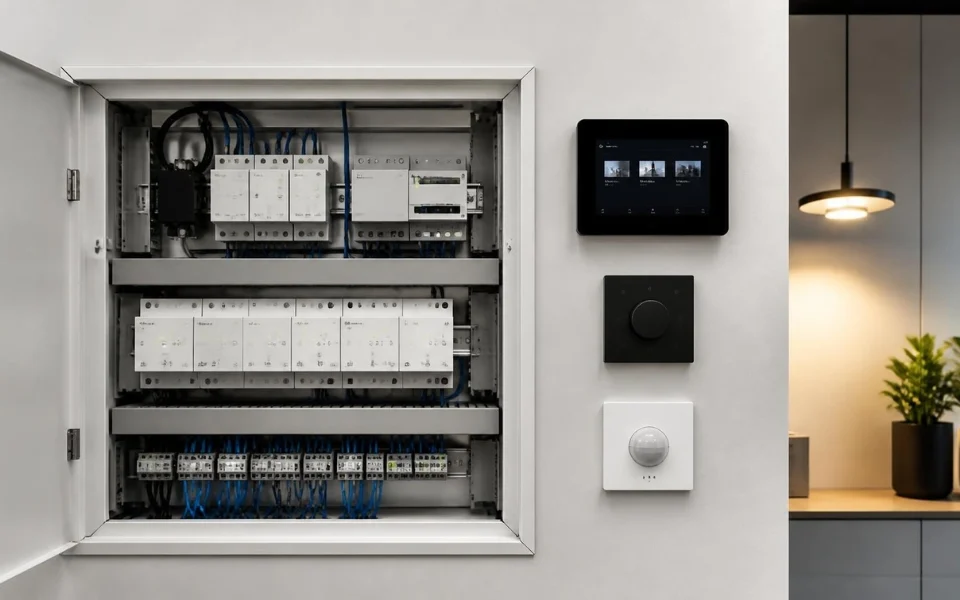
When devices in a KNX System stop communicating, the problem may come from the KNX bus, power supply, physical wiring, ETS configuration, group addresses, gateway settings, network connection or software compatibility.
A structured troubleshooting process should start with the basic physical checks before moving into configuration and integration:
- Check KNX bus power
- Inspect KNX bus wiring
- Verify ETS device programming
- Check group address logic
- Confirm KNX gateway connectivity
- Review gateway configuration
- Check IP network settings
- Verify firmware and software versions
- Test devices individually
- Review automation rules
- Reset or reinitialise components only when necessary
- Involve a qualified KNX professional when advanced faults remain
This approach helps determine whether the problem is at the device, bus, gateway or integration level, rather than assuming the entire KNX System has failed. The source article specifically focuses on troubleshooting KNX communication step by step, using the Jigsaw KNX Gateway (2 Users) as the reference point for gateway-based integration.
- KNX System Communication: Communication failures can occur at the device, bus, gateway or integration level
- KNX Bus Power: Stable bus power is essential for reliable device communication
- Physical Wiring: Loose terminals, incorrect polarity, damaged insulation and poor connections can disrupt communication
- ETS Configuration: Physical addresses, group addresses and application programs must be correctly configured
- KNX Gateway: Gateway configuration and connectivity can affect communication with external platforms
- Group Address Logic: Incorrect group address assignments can prevent commands from reaching the intended devices
- Network Connectivity: IP conflicts, firewall restrictions and VLAN or subnet issues can affect gateway communication
- ETS Diagnostics: Bus monitoring can help determine whether KNX telegrams are being transmitted and received
- Firmware Compatibility: Device, gateway and integration software versions should remain compatible
- Professional Troubleshooting: Complex topology, wiring and gateway problems may require specialist KNX support
Why Do KNX Devices Stop Communicating?
KNX communication problems rarely have a single cause.

Common causes include:
- KNX bus power issues
- Wiring faults
- Bus topology errors
- Incorrect addressing
- Incorrect ETS configuration
- Gateway configuration problems
- Network problems
- Firmware incompatibilities
- Software compatibility issues
The Jigsaw KNX Gateway (2 Users) is designed to simplify KNX integration, but it still depends on correct bus operation and appropriate configuration.
What Should You Check First When a KNX System Stops Communicating?
Start with the most basic checks before changing programming or configuration.
Check KNX Bus Power
Verify that the KNX bus is powered correctly.
Check:
- Power supply indicators
- Bus power status
- Signs of overload
- Disconnected power supplies
- Intermittent device dropouts
KNX devices require stable bus voltage. If the power supply is faulty, overloaded or disconnected, devices may appear offline or behave unpredictably.
For broader guidance on KNX system setup, commissioning and professional installation, see KNX Solutions, which covers KNX training, ETS, device selection, programming and commissioning.
Inspect Physical Connections
Physical wiring problems can become particularly important in retrofits and larger installations.
Inspect the KNX bus for:
- Loose terminals
- Incorrect polarity
- Damaged insulation
- Improper splices
- Unplanned extensions
Because KNX devices share the bus, a single poor connection can affect communication across multiple devices.
How Does ETS Configuration Affect KNX Communication?
ETS, or Engineering Tool Software, is central to KNX configuration.
If devices are not programmed correctly, they may not communicate as intended.
What Should You Check in ETS?
Verify that each device has:
- A unique physical address
- Correct group address assignments
- The correct application program
- Appropriate configuration
A mismatch between expected group addresses and actual programming can result in non-responsive devices.
How Do Group Addresses Affect a KNX System?
Group addresses define how KNX devices interact.
For example:
Push Button → Group Address → Actuator
If a button sends a command to one group address while the actuator listens to another, the KNX devices may technically be communicating but the intended function will not occur.
Review:
- Group address consistency
- Communication object links
- Device assignments
- Potential conflicts
Correct group address logic is therefore important when troubleshooting a device that appears online but does not perform the expected action.
How Do You Check KNX Gateway Power and Connectivity?
Start with the gateway itself.
Confirm that:
- The gateway has power
- Network cables are connected
- Wi-Fi connections are active where applicable
- IP settings are correct
A gateway that loses network connectivity cannot communicate with external systems, even when KNX communication itself remains intact.
When gateway connectivity is part of a larger building automation project, understanding the relationship between KNX, IP networking and other automation protocols is also important. See ComfortClick Jigsaw Pro Review for more information about multi-protocol automation and KNX integration
How Do You Check the KNX Bus Connection to the Gateway?
The gateway must be correctly connected to the KNX bus.
Check:
- KNX bus terminals
- Terminal connections
- Polarity
- Cable condition
- Gateway status
If the gateway is not physically connected to the bus, it cannot read or send KNX telegrams.
How Do You Verify KNX Gateway Configuration?
The gateway needs correct configuration to map KNX group addresses to external controls.
Verify:
- Group addresses are imported correctly
- Device mappings match the ETS configuration
- User limits are respected
- External controls are correctly mapped
Incorrect mapping can result in partial communication, where some devices work while others do not.
What Network Problems Can Affect a KNX Gateway?
KNX gateways can depend heavily on IP networking.
Common network-related issues include:
- IP address conflicts
- Firewall restrictions
- VLAN misconfiguration
- Subnet misconfiguration
- Router changes after installation
- Network instability
If the gateway cannot communicate reliably with the local network, external control may fail even though local KNX functions continue working.
How Can ETS Diagnostics Help Troubleshoot a KNX System?
ETS provides diagnostic tools that can reveal whether KNX telegrams are being sent and received.

What Can You Check With ETS?
Use ETS to:
- Monitor bus traffic
- Confirm devices are sending telegrams
- Identify communication errors
If ETS shows correct telegram traffic but the external system does not respond, the issue may be related to the gateway or integration layer. Understanding how KNX systems are configured and commissioned can also help when diagnosing communication problems. See KNX Solutions for additional information on ETS training, KNX programming and system commissioning 1KNX Association — Groups Diagnostics. Date of access on 29/09/2026↓
Can Firmware and Software Cause KNX Communication Problems?
Outdated firmware can cause unexpected behaviour.
Check that:
- KNX devices are running supported firmware
- Gateway firmware is up to date
- Integration platforms support the current gateway version
Manufacturers may release updates to improve stability and compatibility, particularly for gateway products.
Can User Limitations Affect KNX Gateway Communication?
If communication problems appear to affect only specific users, check the gateway’s user configuration.
Verify:
- User accounts
- User permissions
- Device access
- User limits
Access restrictions can appear as communication failures if the configured permissions are not understood.
Why Are KNX Communication Problems Sometimes Intermittent?
Intermittent problems can be more difficult to diagnose because the system may work normally during basic testing.
Possible causes include:
- Network instability
- Bus voltage fluctuations
- Gateway overload
- Conflicting automation rules
Monitoring the system over time can help identify patterns and isolate the source of the problem. 2KNX Association — KNX Security Overview. Date of access on 29/09/2026↓
Can Automation Logic Cause KNX Devices to Appear Unresponsive?
Complex automation can unintentionally block or override commands.
For example:
- A schedule may override manual commands
- Multiple rules may send conflicting instructions
- Scenes may reset device states unexpectedly
When communication problems appear random, review the automation logic before assuming there is a physical communication fault.
How Should You Test KNX Devices Individually?
When multiple devices fail, isolate the problem by testing them individually.
Check whether:
- The device responds locally
- Group address communication works
- Gateway control works independently
This helps determine whether the problem is device-specific or systemic.
Should You Reset or Reinitialise KNX Components?
Resetting components should generally be considered after basic troubleshooting.
Possible actions include:
- Restarting the gateway
- Power-cycling the KNX power supply
- Re-importing configurations
These actions should be performed carefully to avoid unnecessary reprogramming work or configuration loss.
Comparison Table: KNX System Troubleshooting
| Problem Area | Common Symptoms | What to Check | Troubleshooting Focus |
|---|---|---|---|
| KNX Bus Power | Multiple devices appear offline | Power supply indicators and bus status | Power stability |
| Physical Wiring | Several devices stop responding | Terminals, polarity and cables | Physical connection |
| ETS Configuration | Specific devices do not respond | Physical address and application program | Device programming |
| Group Addresses | Commands do not trigger expected actions | Group addresses and communication objects | Logical configuration |
| KNX Gateway | Local KNX works but external control fails | Gateway connection and mapping | Gateway configuration |
| IP Network | External platform loses connection | IP, firewall, VLAN and subnet | Network connectivity |
| Firmware | Unexpected behaviour | Device and gateway versions | Software compatibility |
| Automation Logic | Commands appear overridden | Rules, schedules and scenes | Control logic |
When Should You Involve a Professional KNX Installer?
Some KNX System troubleshooting problems require advanced diagnostic tools or specialist experience.

A qualified KNX professional can:
- Analyse bus topology
- Identify hidden wiring faults
- Review ETS configuration
- Optimise gateway configuration
- Investigate persistent communication problems
Professional intervention can help prevent unnecessary system changes when the source of the fault is difficult to isolate.
How Can You Prevent Future KNX Communication Problems?
Prevention should begin with good project documentation and system maintenance.
Maintain ETS Documentation
Keep accurate records of:
- Physical addresses
- Group addresses
- Device configuration
- Gateway mappings
- Automation logic
Keep Firmware Updated
Monitor firmware and software versions for:
- KNX devices
- Gateways
- Integration platforms
Use Quality Power Supplies
Appropriate power supply selection and regular system checks can support reliable KNX operation.
Keep Automation Logic Structured
Avoid unnecessary complexity in automation rules and document important system logic.
The source specifically recommends thorough ETS documentation, software updates, quality power supplies and avoiding unnecessary complexity in automation logic.
What Does Practical Experience Show About KNX Troubleshooting?
Based on practical experience at Digital Home Systems (DHS), troubleshooting a KNX System should focus on identifying where communication stops before replacing devices or making major configuration changes.

A practical troubleshooting process should consider:
- Power supply
- KNX bus wiring
- ETS configuration
- Group address logic
- Gateway configuration
- Network connectivity
- Automation rules
For gateway-based installations, separating KNX bus issues from gateway and network issues is particularly important.
A system may continue operating locally while external controls are unavailable because the fault occurs at the gateway or integration level.
Why Does Gateway Choice Matter for KNX System Troubleshooting?
Not all gateways provide the same level of configuration transparency and control.
The source positions the Jigsaw KNX Gateway (2 Users) around:
- Clear mapping
- Controlled access
- Structured integration
These characteristics can help isolate communication issues more effectively during troubleshooting.
Choosing an appropriate gateway should therefore be considered as part of the overall KNX System architecture, particularly when external platforms are involved. For a broader overview of gateway-based building automation, see KNX Gateway for BMS: Advanced Integration & Automation
Who Benefits From Understanding KNX System Troubleshooting?
This knowledge can be useful for:
- Homeowners with KNX smart homes
- System integrators
- KNX installers
- Facility managers
- IT professionals
- Automation professionals
Understanding communication fundamentals can help reduce unnecessary troubleshooting steps and improve the ability to identify where a problem occurs. For installers and system integrators looking to develop their KNX knowledge, How to Become a Certified KNX Partner provides additional information about KNX training, certification and professional development
FAQs
Start with the KNX bus power and physical connections before moving into ETS, gateway and network troubleshooting
Possible causes include power supply issues, wiring faults, incorrect ETS programming, group address errors, gateway configuration problems or network connectivity issues
If local KNX devices communicate correctly but external applications or platforms do not respond, the gateway or network should be investigated
Yes. If communication objects are linked to incorrect group addresses, commands may not reach the intended device or function
Yes. Gateway communication can be affected by IP conflicts, firewall restrictions, VLAN or subnet configuration and router changes
Final Thoughts
KNX System troubleshooting becomes more manageable when the communication path is checked systematically.
Start with:
- Power
- Wiring
- ETS configuration
- Group addresses
- Gateway connection
- Network configuration
- Diagnostics
- Firmware
- Automation logic
The key is to identify whether the problem occurs at the KNX bus, gateway or integration level before making unnecessary changes.
With appropriate setup, documentation, maintenance and professional support where required, a KNX System can be diagnosed in a structured and efficient way. The source material emphasises that checking power, wiring, ETS configuration and gateway settings step by step can help identify communication problems while avoiding unnecessary system changes.