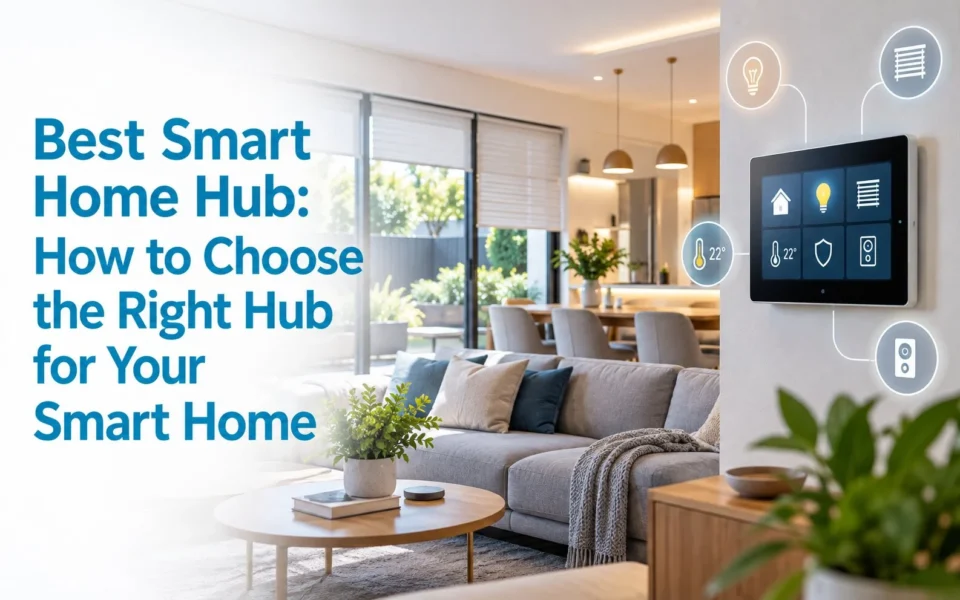
The best smart home hub depends on your existing devices and how sophisticated you want your automation to become.
- Aqara Hub M3 suits Aqara-focused Zigbee, Thread and Matter systems
- Homey Pro offers extensive multi-brand and multi-protocol integration
- Hubitat C-8 Pro appeals to users wanting detailed local automation
- Amazon Echo Hub and Google Nest Hub provide simpler ecosystem-based control.
Before choosing any hub, check device compatibility, Australian radio requirements, local-control capabilities, Matter and Thread support, and future expansion plans.
The best smart home hub is a controller that fits the devices, protocols and automations you want in your home. Some hubs are designed for simple voice and touchscreen control, while others prioritise local processing, multi-brand compatibility or advanced automation. The right choice depends on whether your smart home uses Zigbee, Z-Wave, Thread, Matter, Wi-Fi or a combination of technologies – and how much you expect the system to grow over time.
What Are the Best Smart Home Hubs for Different Types of Homes?
There is no single best smart home hub for every property because different platforms are built around different priorities. A homeowner with twenty Aqara sensors has very different requirements from someone combining Z-Wave locks, Zigbee lighting, motorised blinds, HVAC and multiple brands of sensors.
The following hubs are worth comparing based on what each platform does particularly well and the type of smart home it is designed to support.
Aqara Hub M3 – A Strong Choice for Aqara, Matter and Local Automation
The Aqara Hub M3 (1 Hub M3 Specifications. Date of access on 01/10/2026↓) is relevant for homeowners already using, or planning to install, Aqara sensors, switches, locks and other automation products.
It supports Zigbee, Thread, dual-band Wi-Fi and Bluetooth, while also functioning as both a Matter Controller and Matter Bridge. This allows compatible Aqara Zigbee products to be exposed to other Matter ecosystems while Matter devices can also participate in Aqara Home.
Aqara states that the M3 can connect up to 127 Thread and Zigbee devices. The hub also places significant emphasis on local processing, allowing many supported automations to operate within the home’s network rather than depending entirely on cloud communication.
Other useful features include:
- Power over Ethernet (PoE) as well as dual-band Wi-Fi, giving installers more flexibility when choosing a reliable network connection.
- A built-in 360-degree infrared controller, which can bring some conventional IR-controlled appliances into automations.
- 8 GB encrypted local storage for supported data.
- No built-in camera or microphone.
- Support for integrating compatible Aqara Zigbee devices into Matter environments.
For example, an Aqara door sensor could potentially participate in an automation that activates lighting, adjusts blinds and changes climate settings when someone arrives home.
Best suited to: Homeowners building primarily around the Aqara ecosystem or wanting an approachable Zigbee, Thread and Matter platform.
Consider before buying: Matter support does not automatically mean every third-party device or every advanced device feature will work with Aqara Home. Compatibility should still be checked individually.

Homey Pro – A Strong Multi-Protocol Option for Mixed-Brand Smart Homes
For homes containing products from several manufacturers, Homey Pro (2 Homey Pro. Date of access on 01/10/2026↓) stands out because of the number of communication technologies it can bring into one automation platform.
Current Homey Pro models support:
- Wi-Fi
- Bluetooth
- Zigbee
- Z-Wave Plus
- 433 MHz
- Infrared
- Thread
- Matter
Current models can also act as a Thread Border Router, allowing supported Matter-over-Thread products to connect through Homey’s Thread network.
Homey’s current compatibility information states that its platform connects with more than 50,000 devices from over 2,000 brands(3 What Is a Smart Home Hub and When Do You Need One? Date of access on 01/10/2026↓), although support for a particular product should always be checked before purchase.
One of Homey’s main strengths is its automation system.
Homey Flow allows relatively straightforward trigger-and-action routines, while Advanced Flow provides a visual environment for building more complex automations with multiple conditions, triggers and actions.
For example:
Front door unlocks → entrance lights switch on → blinds adjust → selected climate zone changes to occupied mode.
That makes Homey interesting where lighting, sensors, climate, access devices and other systems come from several manufacturers but still need to operate together.
Best suited to: Larger mixed-brand smart homes where broad compatibility and more sophisticated automation are priorities.
Consider before buying: Greater flexibility can also mean more configuration. Every third-party integration should be checked before designing the whole system around it.

Hubitat Elevation C-8 Pro – A Strong Option for Advanced Local Automation
The Hubitat Elevation C-8 Pro(4 Hubitat Elevation® Model C-8 Pro AUS/NZ Version. Date of access on 01/10/2026↓) is another candidate for homeowners and integrators who place a high priority on local processing and detailed automation control.
For Australian projects, an important distinction is that Hubitat offers a dedicated C-8 Pro AUS/NZ model.
The current Australian/New Zealand model includes:
- Zigbee 3.0
- Z-Wave 800-series and Z-Wave Long Range
- Matter functionality
- Bluetooth
- Wi-Fi
- Ethernet
- External Zigbee and Z-Wave antennas
Hubitat specifies that its AUS/NZ model uses the appropriate 921.4/919.8 MHz regional Z-Wave frequencies, which matters because Z-Wave frequencies vary between global markets.
Hubitat says the platform works with more than 1,000 devices across 100+ brands, while its automation engine runs supported rules locally on the hub rather than relying on continuous cloud processing.
Local operation can be useful for automations that should continue functioning even when the internet connection is unavailable. A sensor turning on a light, for example, does not necessarily need to send its command through a remote cloud service first.
Hubitat also offers substantial customisation, making it possible to construct sophisticated automation rules when the installer or homeowner is comfortable with more technical configuration.
Best suited to: Automation enthusiasts, integrators and technically confident homeowners who value detailed control and local processing.
Consider before buying: The additional flexibility can come with a steeper learning curve than consumer-focused platforms such as Google Home or Alexa.

Amazon Echo Hub – A Simpler Choice for Alexa-Based Homes
The Amazon Echo Hub(5 Amazon Echo Hub. Date of access on 01/10/2026↓) takes a somewhat different approach. Rather than competing directly with Hubitat or Homey on extensive automation customisation, its main attraction is straightforward smart-home control within the Alexa ecosystem.
It provides a central touchscreen interface for managing compatible smart-home devices including lighting, cameras, locks, plugs and other connected products.
Amazon also lists the Echo Hub among its devices with a built-in Zigbee smart-home hub, supporting Zigbee 1.2 and 3.0 devices such as compatible switches, plugs, lights and locks.
This can make everyday smart-home control simple for a household already using Alexa throughout the property.
Instead of opening separate applications for several devices, users can access compatible systems through the Alexa interface, touchscreen or voice commands.
Best suited to: Households already heavily invested in Alexa that prioritise convenient everyday smart-home control.
Consider before buying: Homes requiring extensive cross-protocol logic or highly customised automation may benefit from comparing Echo Hub with more specialised automation platforms.

Google Nest Hub (2nd Gen) – A Simple Hub for Google Home and Matter
The Google Nest Hub (2nd Gen)(6 Google Nest and Home device specifications. Date of access on 01/10/2026↓) is best understood as a Google Home smart display and ecosystem hub, rather than a direct alternative to a highly configurable platform such as Hubitat.
It has a 7-inch touchscreen, Google Assistant integration and support for everyday Google Home control.
Google also identifies the Nest Hub (2nd Gen) as a supported Matter hub, and its built-in Thread radio enables it to operate as a Thread Border Router.
This makes it useful for compatible:
- Smart lights
- Plugs
- Sensors
- Climate devices
- Matter products
- Thread devices
- Other Google Home integrations
Its advantage is simplicity. Someone who already controls lighting, cameras and climate through Google Home may prefer keeping those systems within the same familiar interface.
Best suited to: Users who want straightforward Google Home, Matter and Thread control rather than highly customised automation logic.
Consider before buying: Device support inside Google Home still varies by device type and feature, so confirm compatibility before purchasing equipment.

Best Smart Home Hub Comparison
| Hub | Key Protocols | Local Automation | Matter / Thread | Most Relevant For |
| Aqara Hub M3 | Zigbee, Thread, Wi-Fi, Bluetooth | Strong | Yes | Aqara-focused homes |
| Homey Pro | Zigbee, Z-Wave, Thread, 433 MHz, IR, Wi-Fi, Bluetooth | Strong | Yes | Mixed-brand systems |
| Hubitat C-8 Pro | Zigbee, Z-Wave, Matter, LAN | Strong | Matter support | Advanced automation |
| Amazon Echo Hub | Zigbee, Alexa integrations | Mixed | Ecosystem dependent | Alexa households |
| Google Nest Hub | Wi-Fi, Bluetooth, Thread | Ecosystem dependent | Yes | Google Home users |
How Do You Choose the Best Smart Home Hub for Your Home?
Choosing the best smart home hub starts with understanding what you already have rather than beginning with a particular hub brand. Your lights, switches, sensors, locks, blinds, climate equipment and security products all influence which controller will work effectively.
Start With Your Existing Devices
Create an inventory of the connected equipment already installed in your home. For each product, identify the manufacturer, model and communication technology. This immediately helps narrow down suitable hubs.
Check the Communication Protocols
Different devices may use:
- Wi-Fi
- Zigbee
- Z-Wave
- Thread
- Bluetooth
- Matter
- Manufacturer-specific integrations
A home with many Z-Wave products, for example, requires a different approach from one built almost entirely around Wi-Fi and Matter.
Decide How Important Local Control Is
With supported local automation, certain rules can execute inside the home rather than continually communicating with a remote server. This can improve responsiveness and allow some automations to continue during an internet outage.
However, local control is not an all-or-nothing feature. A hub might process automation logic locally while some connected third-party services still require their manufacturer’s cloud platform.
Check Matter and Thread Separately
Matter and Thread are related, but they are not the same technology. Matter is an application and interoperability standard. Thread is an IP-based mesh networking technology.
A Matter-over-Thread device therefore needs access to a suitable Thread network and Thread Border Router.
Consider How Complex Your Automations Will Become
Basic timers, schedules and voice commands may be perfectly suited to platforms such as Google Home or Alexa.
A larger property may require logic such as:
When the alarm is disarmed AND someone arrives after sunset → unlock the nominated entrance → activate hallway lighting → adjust selected blinds → switch climate to occupied mode.
This type of multi-condition automation may justify a more flexible platform.
Plan for Future Expansion
The best smart home hub should suit not only the equipment installed today but also what the property might contain in several years.
Future systems could include:
- Automated blinds and curtains
- HVAC control
- Access control
- Video intercoms
- Energy monitoring
- Security sensors
- Automatic gates and doors
- Outdoor lighting
- Additional occupancy sensors
Thinking ahead can reduce the need to rebuild the automation system every time another technology is added.
Check Australian Compatibility
Australian compatibility is particularly important for technologies such as Z-Wave because radio frequencies vary by region.
Do not assume that a hub purchased from an overseas retailer is automatically suitable for an Australian Z-Wave installation. Hubitat, for example, produces a dedicated AUS/NZ version using regional frequencies.

Do You Actually Need a Smart Home Hub?
Not every home needs a dedicated smart home controller. If you have two Wi-Fi lights, a smart plug and an appliance that each work reliably through their manufacturer’s application, adding another hub may provide little benefit.
A hub becomes much more useful when the home begins operating as an integrated system rather than a collection of independent smart products.
You may benefit from a hub when:
- Devices come from several manufacturers.
- Zigbee, Z-Wave or Thread products are being introduced.
- One system needs to trigger another.
- Automations involve several conditions.
- Local processing is important.
- You want to reduce reliance on numerous manufacturer apps.
- The system is expected to expand significantly.
Consider someone arriving home.
Without integration, they might unlock the door, switch on the hallway lights, open a climate application and adjust the blinds through another app.
With an appropriately designed system, one arrival event could potentially trigger entrance lighting, hallway lighting, climate control and motorised blinds automatically.
That shift is important when comparing the best smart home hub options.
The goal is not simply to control more gadgets from another app. A properly planned smart-home system should allow different technologies to respond to what is happening in the property.
-
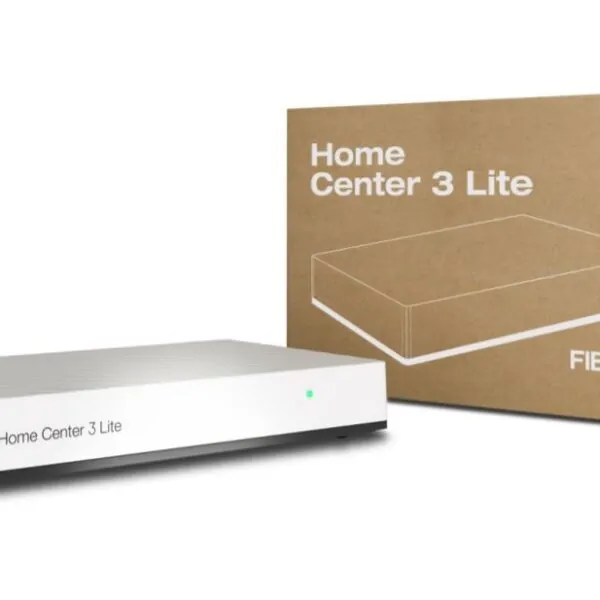
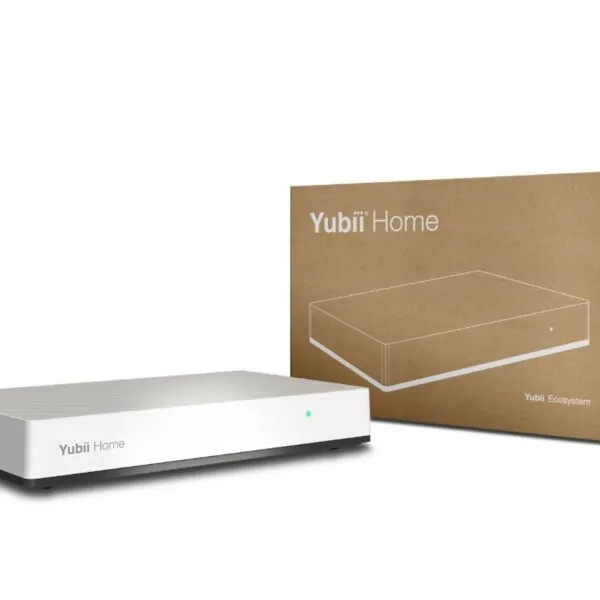
Nice Yubii Home Pro – Fibaro Home Center 3 Replacement Smart Home Hub – Adorable
$869.00 (ex. GST)Please login to see trade price
Add to cart -
-
-

A Real DHS Example: When Separate Systems Need to Work Together
Digital Home Systems regularly sees this question become more relevant on projects where the scope grows beyond basic smart lighting.
For example, on one recent accessible housing project in Melbourne, the automation requirements included video intercom and access control, secure door locking, provision for automatic door operation, smart lighting and future air-conditioning integration.
In a project like this, treating every device as a separate standalone product would make the system harder to manage and expand. The more practical approach is to consider how the individual systems can communicate and how future functions may be added without rebuilding the automation setup.
Why Does Matter Matter When Choosing a Smart Home Hub?
Matter is designed to make compatible smart-home equipment work more consistently across different ecosystems.
It is an IP-based interoperability standard, operating across networks including Wi-Fi, Ethernet and Thread. The Matter specification also supports local IP communication, including environments without continuous access to the wider internet.
For homeowners, one of Matter’s potential advantages is reducing dependence on a single manufacturer.
A compatible Matter device may be able to participate in multiple supported ecosystems through features such as Multi-Admin, rather than being permanently restricted to one platform.
However, it is also important not to assume Matter makes existing technologies obsolete.
Zigbee and Z-Wave remain highly relevant, particularly because many existing sensors, switches, locks and automation products already use these technologies.
For that reason, homeowners planning a substantial system may find that a hub supporting both established protocols and newer Matter/Thread products provides more flexibility during the transition.
Building a Smarter Home Starts With the Right System Design
Selecting the best smart home hub is important, but the controller is only one part of a reliable automation system.
Lighting, motorised blinds, HVAC, sensors, security, intercoms, CCTV, access control and entrance automation all need to be considered together when the goal is a genuinely integrated property.
Digital Home Systems works with homeowners, builders and installers to assess the complete project, identify suitable technologies and design an automation system around how the property will actually be used.
This may include smart hubs, lighting control, automated blinds and curtains, climate control, sensors, security systems, intercoms, access control and other connected equipment.
Planning a smart home or upgrading an existing automation system? Contact Digital Home Systems to discuss security solutions and integrated home automation for your project.
FAQs
There is no universal best smart home hub for every Australian home. The most suitable choice depends on device compatibility, communication protocols, desired automation complexity and future expansion.
Not necessarily. Some Matter devices can operate through ecosystem controllers you already own, such as a compatible Google, Alexa or other Matter controller. However, a dedicated automation hub can still be useful when you want to integrate Matter with Zigbee, Z-Wave, legacy devices or more complex automation rules.
Matter defines how compatible smart-home devices communicate at the application level.
Thread is an IP-based low-power mesh networking technology that some Matter devices use to communicate.
Zigbee is a separate wireless protocol widely used for smart-home sensors, lights, switches and other devices.
A device may therefore be Matter-over-Thread, while another smart-home product may use Zigbee instead.
Yes, if the hub supports the required devices and communication technologies. Platforms such as Homey, Hubitat and Matter-compatible ecosystems are specifically designed to connect products from multiple manufacturers.
Neither approach is automatically better in every situation.
Local processing can provide fast response times, reduced dependence on internet connectivity and greater control over where some automation logic runs.
Cloud services can provide convenient remote access, manufacturer integrations and functionality that may not be available locally.
Before replacing a hub, document all connected devices and identify their communication protocols. Then check whether the replacement supports:
- Your existing devices
- Zigbee or Z-Wave networks
- Matter and Thread requirements
- Automation rules
- Voice assistants
- Security and access systems
- Existing third-party integrations