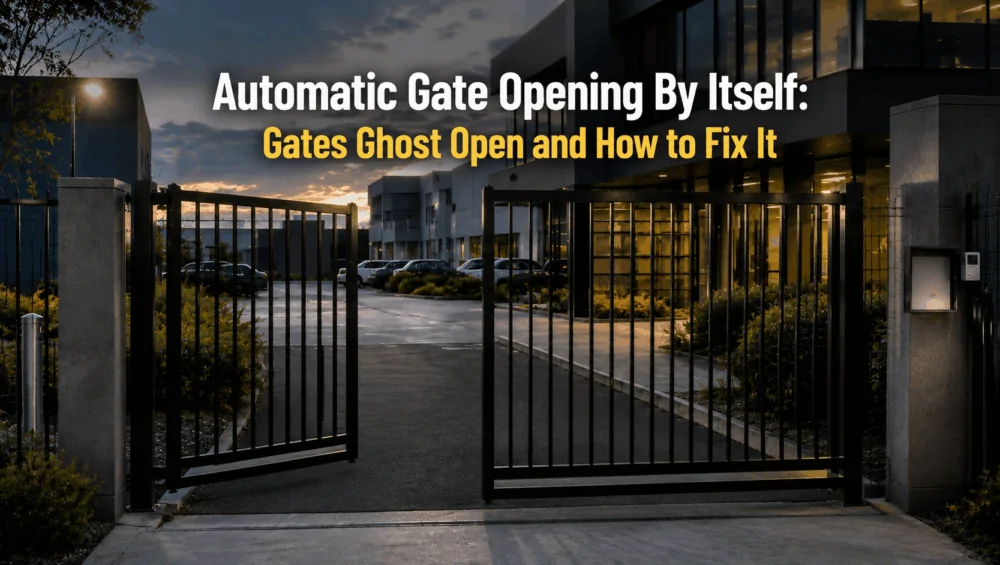
An automatic gate opening by itself is commonly caused by faulty remotes, stuck release buttons, exit loop faults, misaligned safety sensors, software configuration errors, wiring issues, or unstable power. This issue can be unsettling for any office manager, especially after hours or when it appears on CCTV with no obvious explanation. You may first notice it through staff reports, a security alert, or footage showing the gate opening when no one seems to be nearby.
For commercial facilities, this is more than a frustrating technical glitch. An unexpectedly opened gate can expose their valuable facilities. This guide explains what office managers can safely check, what should be left to a technician, and when urgent gate repair is needed.
Why an Automatic Gate Opening By Itself Is a Facility Security Problem
This is because a commercial security gate is often the first controlled access point for a building and a property. When it operates correctly, it helps manage who can enter the property and when. When it opens unexpectedly, even for a short time, that control is compromised.
The biggest concern is unauthorised access. A temporary opening may allow vehicles, pedestrians, contractors, or opportunistic intruders to enter without approval. This can create safety risks for staff and visitors.
Also, if an incident occurs while the gate is malfunctioning, it may raise questions about site security and the duty of care. Tenants or staff may also lose confidence in the facility’s security system if the issue continues.
For office managers, the priority is not just stopping the symptom. The real goal is to identify the cause of the fault so the gate can be secured properly.
What a “Ghost Opening” Actually Means
An automatic gate opening by itself may refer to several different behaviours. The gate “ghost opening” might open fully without a visible user command. It may move slightly, stop, then open again. It may only activate at certain times of day, when vehicles pass nearby, during wet weather, or after a power outage.
Most commercial gate systems rely on a chain of connected components. This can include the gate motor, control board, remote receiver, hand transmitters, keypads, RFID readers, intercom release buttons, exit loops, photoelectric safety sensors, limit switches, access control software, and battery backup systems. A problem in any one of these areas can create an unexpected open command.
In many cases, the gate is not truly “deciding” to open on its own. Instead, it is receiving a false signal, misreading an input, or following an incorrectly configured schedule.

Automatic Gate Opening By Itself? Do These Checks First
Before arranging a service call, office managers can gather useful information to help a technician diagnose the issue more quickly. These checks should focus on observation, site conditions, access activity, and obvious external issues.
Start by recording exactly when the gate opens unexpectedly. Note the time, frequency, weather conditions, and whether the issue happens during business hours, after hours, during rain, or after a power fluctuation. This pattern can help narrow down the likely cause.
You can also review CCTV footage to see whether a vehicle or contractor was near the gate when it activated. Sometimes the source is not obvious at first, especially on busy commercial sites with multiple users and access devices.
Before calling a technician, safely check the following:
- Note the time and frequency of each unexpected opening.
- Check whether the fault happens after hours, during peak traffic, or after rain.
- Review CCTV footage for nearby vehicles, pedestrians, or deliveries.
- Ask staff whether remotes, fobs, or phone apps may have been pressed accidentally.
- Check whether an exit button, keypad, or intercom release button appears stuck.
- Confirm whether cleaners, tenants, contractors, or delivery drivers have scheduled access.
- Look for obvious dirt, insects, leaves, or obstructions around sensors and safety beams.
- Record any error lights, beeping, flashing indicators, or unusual motor sounds.
If the gate is opening repeatedly, cannot remain closed, or exposes the facility after hours, treat it as an urgent repair issue.
Common Causes of an Automatic Gate Opening By Itself
When automatic gate opening by itself becomes a repeated problem, the cause is often found somewhere in the access control chain, but 80% of the time it is an external one. A professional inspection should look at every device that can send an open command, not just the operator.

Accidentally Triggered or Faulty Remote Controls
Remote controls are among the most common causes of false gate activation. A worn remote, a damaged button, a weak casing, or a transmitter left in a vehicle can send an unintended signal. On commercial sites, this risk increases because many people may have access to devices.
Modern systems may also employ more sophisticated transmitter security. For example, CENTURION describes code-hopping functionality and individually managed transmitter buttons on some systems(1 CENTURION describes code-hopping functionality and individually managed transmitter buttons on some systems.Date of access on 17/08/2026↓).
A remote may be sitting in a glovebox, bag, desk drawer, or pocket, with the button being pressed without anyone realising. Older remotes may also have sticking buttons or internal faults that cause intermittent transmissions.
Stuck Exit Buttons, Key Switches or Intercom Releases
Many commercial gates are connected to push buttons, reception release switches, key switches, intercoms, or internal gate release controls. If one of these inputs sticks or fails, the gate may appear to be repeatedly requesting access.
This can happen due to a jammed physical button, a worn key switch, a damaged intercom relay, or a release contact affected by moisture or corrosion. Reception desks and shared building entrances can be particularly vulnerable because these controls are used frequently throughout the day.
Vehicle Exit Loop or Loop Detector Faults
Some gates use ground loops or vehicle detection systems to open automatically from the inside. These systems allow vehicles to exit without using a remote or keypad.
However, a faulty or poorly calibrated exit loop can trigger the gate when no vehicle is present. Damaged loop wiring, water ingress, nearby metal movement, electrical interference, or changes in sensitivity can all cause false detection.
Safety Sensors Causing the Gate to Reopen
Safety beams and photoelectric sensors are designed to prevent a gate from closing on vehicles or pedestrians. They are essential safety devices and should never be bypassed as a quick fix. However, be careful about implying that a dirty photocell will simply make every automatic gate open randomly.
Safety-input behaviour depends on controller configuration and where in the operating cycle the signal occurs. For example, Nice documentation describes photocells preventing manoeuvres under some conditions, while other operator configurations can command reopening when a photocell intervenes.(2 Nice documentation describes photocells preventing manoeuvres under some conditions.Date of access on 17/08/2026↓)
Read more: How To Align IR Gate Sensors Correctly To Prevent False Trips
Access-Control Schedules, Users or Automation Rules
Modern commercial gates are often linked to access control systems. This is convenient, but it also means a configuration issue can look like an electrical fault. A gate may open at certain times due to an outdated schedule or an incorrectly configured access group.
If access control logs do not match actual gate activity, or if the gate opens at a similar time each day, the software settings should be reviewed. A technician or system administrator can check event logs, schedules, permissions, and device triggers.
Damaged Wiring, Relays or Gate Controller Inputs
The control board is the central point where commands are received and gate movement is managed. If the board, relay, terminals, or connected wiring develop a fault, the gate may receive unintended open signals.
Common issues include loose terminals, damaged cabling, corrosion, moisture inside enclosures, short circuits, worn relays, insects inside housings, or water entering through poor seals. Outdoor gate systems are particularly exposed to heat, dust, vibration, rain, and changing weather conditions.
Read more: How Weather Affects Gate Sensors – Rain, Fog & Sunlight Protection Tips
Power Interruptions, Backup Batteries or Controller Resets
Unstable power can also contribute to an automatic gate opening by itself. Storm activity, power outages, surge events, failing backup batteries, or recent electrical work can all affect gate behaviour.
Some gates may reset after a power interruption. Others may respond unpredictably if the battery backup system is weak or if the control board receives inconsistent voltage.

What the Gate’s Behaviour Can Tell You About the Fault
When investigating a automatic gate opening by itself, the pattern of the unwanted movement is often one of the most useful diagnostic clues. Before replacing components, technicians should note when the gate moves, what happens immediately beforehand, and whether the behaviour can be reproduced. Different patterns can point towards very different causes.
Opens Randomly From Fully Closed
A gate that opens unexpectedly after remaining fully closed for minutes or hours often suggests an unwanted open command reaching the controller. Possible causes include a faulty receiver, damaged push-button wiring, moisture inside an access control device, relay faults, or interference from connected equipment.
The first step is usually to review each device capable of issuing an opening command and isolate inputs systematically until the source is identified.
Closes and Immediately Opens Again
If the gate reaches the closing cycle but suddenly reverses and opens, the problem is more likely related to the safety or obstacle-detection system than a genuine ghost opening.
Photocells may be misaligned, safety edges may be activated, or the controller may incorrectly detect an obstruction. Gate resistance, incorrect force settings or encoder feedback problems can also trigger a safety reversal.
Opens When Vehicles Pass Nearby
When passing vehicles repeatedly trigger the gate, technicians should inspect vehicle detectors and detection sensors. An induction loop may be positioned too close to the road, configured with excessive sensitivity or affected by electrical interference.
Radar, microwave and other presence sensors can produce similar symptoms if their detection field extends beyond the intended driveway area.
Opens at the Same Time Each Day
Consistent timing usually indicates a scheduled or programmed command rather than a random electrical fault. Check timers, building management systems, access control schedules, smart automation platforms and any connected controllers.
Reviewing event logs can be particularly helpful because they may show which device or input initiated the opening.
Happens More Often During Rain or Bad Weather
Weather-related ghost openings strongly suggest checking outdoor equipment for moisture ingress, damaged cabling or deteriorated electrical connections. Water entering keypads, intercoms, junction boxes, photocells or gate controllers can create intermittent contacts that behave like genuine opening commands.
If the problem becomes noticeably worse after rain, inspecting and isolating exposed field devices should be a priority before replacing the gate motor or main control board.
How a Gate Technician Finds the Unwanted Opening Command
An experienced technician will inspect the entire gate and access control system, rather than assuming the motor is responsible. The aim is to identify exactly where the unwanted open command is coming from. At Digital Home Systems (DHS), troubleshooting focuses on identifying exactly where the unwanted open command is coming from.
- Review the reported symptoms. The technician will ask when the gate opens unexpectedly, how often it happens, and whether there is a repeatable pattern.
- Check CCTV and access logs. Recorded footage and event logs can help determine whether a remote, user, scheduled event, or access device triggered the gate.
- Inspect the gate operator. Gate movement, motor condition, limit settings, and general safety response are checked to rule out mechanical or operator-related issues.
- Test access devices. Remotes, receivers, keypads, RFID readers, intercom release contacts, exit buttons, and other connected controls may be tested individually.
- Check vehicle detection equipment. Exit loops and loop detectors are inspected for false activation, damaged wiring, incorrect sensitivity, or water ingress.
- Inspect safety sensors. Photoelectric beams are checked for alignment, dirt, insects, damaged wiring, loose mounting, and correct operation.
- Examine the control board and wiring. Terminals, relays, cabling, enclosures, and weather seals are checked for corrosion, moisture, loose connections, damage, or surge activity.
- Review access control settings. If software is connected to the gate, technicians may check schedules, permissions, automation rules, and event history.
- Repair and retest the system. Once the cause is identified, the component may be repaired, replaced, recalibrated, reprogrammed, or isolated. The gate should then complete several open-close cycles to confirm the unwanted opening has been resolved.

Preventing Repeat Ghost Openings at Commercial Facilities
Once the immediate fault has been repaired, regular maintenance helps reduce the chance of repeat ghost openings. This is especially important at busy commercial facilities where gates may operate dozens or even hundreds of times throughout the day.
From the DHS team’s experience working on commercial gate automation systems, repeat unwanted openings are often linked to small issues that build up over time rather than one major failure. We regularly see problems caused by moisture in outdoor enclosures, worn remotes, loose terminals, dirty or misaligned sensors, ageing backup batteries, and access control settings that have not been reviewed after staff or tenant changes.
A practical preventative maintenance routine should include:
- Cleaning and aligning safety sensors to reduce false trips caused by dirt, insects, vibration or weather exposure.
- Testing remotes, receivers and release devices for sticking buttons, intermittent signals or worn components.
- Inspecting visible cabling, terminals and weather seals for moisture, corrosion, loose connections or physical damage.
- Checking battery backup performance so the controller remains stable during power interruptions.
- Reviewing access control users, schedules and permissions to remove outdated credentials or incorrect automation rules.
- Confirming correct gate closing and safety operation through repeated open-and-close cycles.
For office managers and facility teams, maintenance is not only about keeping the gate moving. It also helps protect staff, visitors, vehicles, stock and tenants while extending the service life of the complete gate automation system.
Preventing automatic gate opening by itself starts with treating the gate as one integrated system. DHS recommends checking the motor, access devices, sensors, controller, wiring and software together rather than maintaining each component in isolation.
Read more: When It Makes Sense to Upgrade the Entry System Instead of Patching Failures
When to Arrange Automatic Gate Repair
An automatic gate opening by itself should never be ignored on a commercial site, as a temporary opening can create a serious security gap and expose the property to safety and operational risks.
In many cases, the cause is a faulty remote, a stuck release button, an exit loop problem, sensor contamination, access control settings, wiring faults, control board issues, or power fluctuations, all of which can create ghost openings. The right repair starts with a proper diagnosis of the full gate and access control system.
DHS supports commercial facilities with reliable gate automation, access control, intercom, sensor, and security integration products designed for professional installations. If your facility gate is opening unexpectedly, refer to our Gate & Door Solutions to help keep your site secure and operating with confidence.
Contact us today for more information!
FAQs
It usually receives a false open command from a remote, sensor, exit loop, intercom system, keypad, access control schedule, wiring fault, relay, or control board issue. Yes. Even a short unexpected opening can allow unauthorised vehicle or pedestrian access, especially after hours or on sites with vehicles, stock, equipment, or tenant areas. Only turn the gate off if it is safe and your site has a secure temporary access plan. Do not disable safety devices or interfere with electrical components. Yes. Rain, moisture, storms, fog, heat, corrosion, and power fluctuations can affect sensors, wiring, control boards, batteries, and access devices. Call for urgent repair if the gate opens after hours, opens repeatedly, cannot stay closed, makes unusual noises, or creates a safety or security risk.