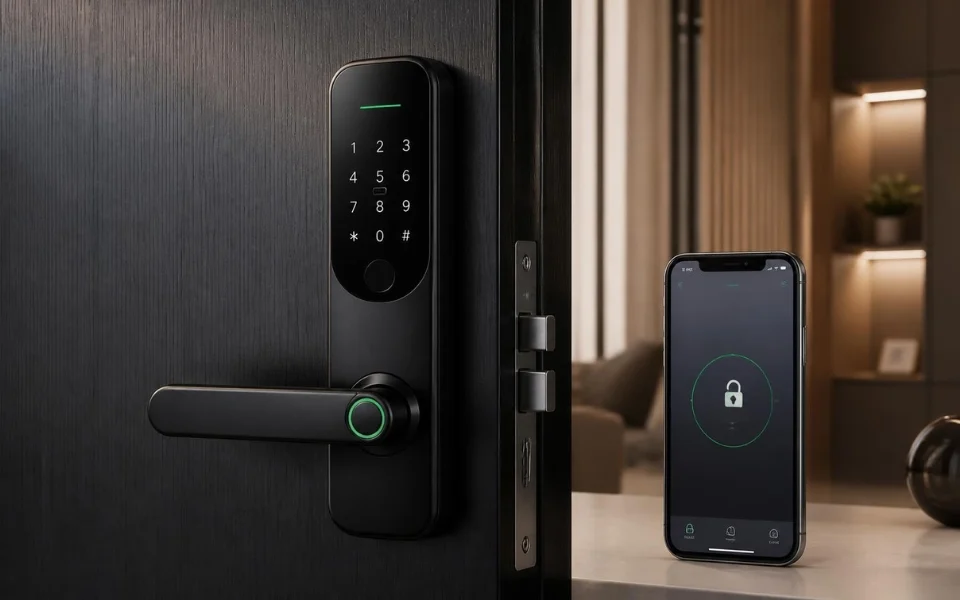
A Smart Lock can provide convenient keyless access, remote control and automation, but its wireless connectivity also introduces additional security considerations. Because smart locks may use Wi-Fi, Bluetooth, hubs or cloud services, protecting the complete system is more important than securing the lock hardware alone.
A secure Smart Lock should therefore be treated as part of a complete physical and digital security system rather than as an isolated device.
- Smart Lock security depends on both wireless and physical protection
- Wi-Fi security should include strong credentials, current encryption and updated router firmware
- Bluetooth security requires controlled pairing and careful management of connected devices
- Firmware updates help address known security vulnerabilities
- Multi-factor authentication adds protection to Smart Lock accounts
- Network segmentation can limit the impact of a compromised smart device
- User permissions should be individually assigned and regularly reviewed
- Access logs can help identify unexpected activity
- Physical security remains essential even when the lock has strong digital protection
- Ongoing maintenance is required to keep a Smart Lock secure over time
Why Does Smart Lock Security Matter?
A conventional mechanical lock is primarily exposed to physical attacks, while a Smart Lock exists across both physical and digital environments.
Wireless connectivity provides useful features such as:
- Smartphone access
- Remote locking and unlocking
- Keyless entry
- Access notifications
- Automated security routines
- Digital access logs
However, these features can introduce additional attack surfaces. A compromised Smart Lock could potentially result in unauthorised access, exposure of access information or loss of control over connected security functions. For a broader overview of how smart locks fit into modern residential security, see Best Smart Lock Systems in Australia for information about connectivity, security features and smart-home integration.
How Do Wi-Fi and Bluetooth Affect Smart Lock Security?
Most Smart Locks communicate through one or more wireless technologies. Different wireless protocols can provide different connectivity and integration options. For a closer look at how Smart Lock systems use technologies such as Z-Wave, Bluetooth, Wi-Fi and Zigbee, see Best Smart Lock Systems in Australia.

What Role Does Wi-Fi Play?
Wi-Fi may be used for:
- Remote access
- Cloud control
- Notifications
- Internet connectivity
- Communication with other smart home services
Wi-Fi-related risks can include compromised network credentials, account takeover and attacks against poorly secured network communication.
What Role Does Bluetooth Play?
Bluetooth usually provides short-range communication between the Smart Lock and an authorised smartphone or other device.
Potential risks include:
- Replay attacks
- Relay attacks
- Weak pairing procedures
- Unauthorised nearby devices
Because Bluetooth attacks generally require proximity, controlling the pairing process and limiting unnecessary Bluetooth exposure are important security measures.
Why Are Firmware Updates Important?
Firmware controls the operation of the Smart Lock and may contain vulnerabilities that are discovered after the product is released.
Manufacturers may release firmware updates to:
- Fix software bugs
- Address security vulnerabilities
- Improve device stability
- Maintain compatibility
Enable automatic updates where supported or regularly check the manufacturer’s application for available updates. Firmware updates are important because vulnerabilities can be discovered after a Smart Lock has already been installed. Manufacturers should provide security updates to address known weaknesses and maintain device security. The 1Australian Cyber Security Centre — IoT Secure by Design guidance for manufacturers. Date of access on 30/09/2026↓ highlights secure software updates as an important IoT security principle.
How Can You Secure the Smart Lock App and Cloud Account?
The mobile application and associated cloud account can provide control over the Smart Lock, making them important parts of the security system. App-based access management is also an important part of modern Smart Lock systems. The Ultimate Smart Lock Package includes app setup and user-profile management as part of its smart access solution.
What Should You Do to Protect the Account?
Use:
- A strong and unique password
- Multi-factor authentication where supported
- An updated smartphone operating system
- Regular account activity reviews
- Regular access-log reviews
Remove devices and credentials that are no longer required, particularly when a smartphone or authorised device is no longer used. The Smart Lock account should use a strong, unique password and multi-factor authentication where available. The 2Australian Cyber Security Centre — Multi-factor authentication. Date of access on 30/09/2026↓ explains that MFA adds additional authentication factors to make account takeover more difficult.
How Should You Secure the Wi-Fi Network?
A Smart Lock connected to Wi-Fi depends partly on the security of the network around it. What Wi-Fi Settings Should You Check?
Use:
- A strong and unique Wi-Fi password
- The strongest supported Wi-Fi encryption
- Updated router firmware
- Secure router administrator credentials
Where possible, disable unnecessary router services such as remote administration unless they are specifically required.
Should You Use Network Segmentation?
Network segmentation can add another layer of protection.
A Smart Lock and other smart home devices can be placed on a separate network or VLAN where the network infrastructure supports it. This can help limit the potential impact if another connected device is compromised.
Guest networks and device-isolation features may also be available on some modern routers.
How Can You Secure Bluetooth Pairing?
Bluetooth security starts during the initial pairing process. What Are the Best Pairing Practices?
- Pair the Smart Lock in a secure environment
- Avoid pairing in public or shared areas
- Disable pairing mode after setup
- Review connected Bluetooth devices regularly
- Remove devices that are no longer required
Leaving pairing mode active unnecessarily can increase the opportunity for unauthorised devices to connect.
Can Bluetooth Range Affect Security?
Yes. Because Bluetooth communication is proximity-based, reducing unnecessary wireless exposure can reduce the potential attack surface.
Where supported:
- Use the minimum effective Bluetooth range
- Avoid unnecessary signal coverage into public areas
- Review whether direct Bluetooth access is required
- Consider hub-based communication where appropriate
How Should You Manage Smart Lock Users and Access?
Multiple users are one of the major advantages of a Smart Lock, but access permissions need to be managed carefully.

What Is a Secure Access Management Approach?
Use:
- Individual credentials for each user
- Temporary access for guests
- Time-limited credentials for contractors and cleaners
- Regular user-list reviews
- Immediate removal of unnecessary access
Avoid using shared credentials where individual access can be assigned. Individual credentials make it easier to identify activity and revoke access when required.
How Can Access Logs Help Secure a Smart Lock?
Access logs provide useful information about how and when the Smart Lock is being used.
Review logs for:
- Unexpected unlock times
- Repeated failed attempts
- Unknown users or devices
- Unexpected configuration changes
Where supported, enable alerts for important events such as unlocks, failed authentication attempts and changes to the Smart Lock configuration.
Access history can provide useful information about successful entries, failed attempts, user activity and other security events. See Audit Trails & Access History in Smart Lock Systems for a more detailed explanation of how Smart Lock audit trails work.
How Should Smart Lock Hubs and Gateways Be Secured?
Some Smart Locks use a hub or gateway to connect Bluetooth devices to the internet.
The hub should be treated as another network-connected security device. What Should You Check?
- Change default credentials
- Keep firmware updated
- Place the hub on a secure network
- Position it inside the property
- Avoid placing it close to external doors or windows
Securing the hub helps protect the communication path between the Smart Lock and connected services. Smart Lock hubs can also connect locking hardware with wider automation platforms. For more information about hub-based access-control integration, see How to Integrate Access Control Systems With Smart Home Hubs.
What Are the Most Common Smart Lock Security Mistakes?
Common mistakes include:
- Using weak or reused passwords
- Sharing one account between multiple users
- Ignoring firmware updates
- Leaving Bluetooth pairing active
- Using unnecessary third-party integrations
- Granting permanent access when temporary access is sufficient
- Failing to review access logs
- Relying only on digital security while ignoring the physical door
Security should be treated as an ongoing process rather than a one-time installation task.
What Should You Do If You Suspect a Smart Lock Has Been Compromised?
If unusual activity suggests that a Smart Lock may have been compromised, respond promptly. What Steps Should You Take?

- Change the account password
- Revoke active credentials
- Review access logs
- Update firmware
- Remove unfamiliar devices
- Temporarily disable remote access if necessary
- Restore secure configuration before re-enabling remote functions
These steps can help limit continued unauthorised access while the system is being secured.
Smart Lock Security Comparison Table
| Security Area | Higher-Risk Setup | More Secure Approach | Main Purpose |
|---|---|---|---|
| Password | Reused or weak password | Strong unique password | Reduce account takeover risk |
| MFA | Disabled | Enabled where supported | Add account protection |
| Firmware | Outdated | Regularly updated | Address known vulnerabilities |
| Wi-Fi | Default credentials | Strong credentials and current encryption | Protect network communication |
| Bluetooth | Pairing left active | Secure pairing and disabled pairing mode | Reduce unauthorised pairing |
| Network | All devices on one network | Segmented smart-device network where appropriate | Limit breach impact |
| User access | Shared credentials | Individual credentials | Improve accountability |
| Guest access | Permanent access | Time-limited access | Reduce unnecessary access |
| Access logs | Never reviewed | Regular monitoring | Detect unusual activity |
| Physical security | Weak door/frame | Strong door and frame | Protect against physical attack |
| Integrations | Unnecessary services enabled | Only required integrations | Reduce attack surface |
| Hub/Gateway | Default configuration | Updated and secured | Protect wireless-to-network communication |
Smart Lock Security Solutions
A Smart Lock should be evaluated as part of a complete access-control and home-security environment rather than as a standalone replacement for a mechanical lock.
Digital Home Systems provides smart door locking solutions designed around modern connected access requirements, including smartphone-based access and smart-home integration.

For homeowners, property managers and users managing multiple access credentials, the key considerations are:
- Secure wireless communication
- Reliable access management
- User-specific credentials
- Remote management
- Ongoing firmware support
- Integration with broader smart-home systems
Smart Lock security involves more than selecting a product with wireless connectivity. The complete system includes the lock hardware, mobile application, wireless network, cloud account, user credentials, hub or gateway and physical door.
From an installation and system-management perspective, security should therefore be considered across several layers:
- Device security
- Wireless communication
- Account security
- Network security
- User access management
- Physical door security
- Ongoing maintenance
This layered approach is particularly important for rental properties, shared buildings and homes where multiple users require different levels of access. The original guide specifically identifies shared buildings, short-term rentals, high-traffic properties, remote homeowners and frequent travellers as users who may benefit from stronger security and monitoring practices.
Who Should Prioritise Advanced Smart Door Lock Security?
Advanced security practices can be particularly relevant for:
- Shared residential buildings
- Short-term rental properties
- Properties with frequent visitors
- Remote homeowners
- Frequent travellers
- Properties managed by multiple users
These environments can involve more users, more access credentials and greater reliance on remote management.
How Will Smart Door Lock Security Continue to Evolve?
Smart Lock technology continues to develop through improvements in areas such as:
- Encryption
- Biometric authentication
- Automated threat detection
- Behaviour-based security
- Integration with wider cybersecurity systems
As these technologies develop, secure configuration and user awareness will remain important alongside the technical capabilities of the lock itself.
FAQs
A Smart Lock connected to Wi-Fi can be exposed to network and account-related security risks, particularly when passwords, network settings or firmware are poorly managed
Bluetooth can provide secure short-range communication when properly encrypted and configured, but pairing procedures and connected devices should still be managed carefully
Use a strong Wi-Fi password, current wireless encryption, updated router firmware and secure Smart Lock account credentials
Yes, where the manufacturer supports it, multi-factor authentication provides an additional layer of protection for the Smart Lock account
Yes. Firmware updates can address bugs and security vulnerabilities, so the Smart Lock should be kept on a supported firmware version
Final Thoughts
A Smart Lock can provide convenient and flexible access control, but its wireless connectivity creates additional security considerations compared with traditional mechanical locks.
The most effective approach is layered security: secure the Smart Lock, protect the Wi-Fi and Bluetooth connections, maintain the mobile and cloud accounts, manage user permissions, monitor access activity and maintain the physical door and locking hardware.
With appropriate configuration and ongoing maintenance, a Smart Lock can become a strong component of a modern residential access-control and security system.